
Adding remote speakers to your event
Last updated: May 20, 2025
Before the event: Set up the Web Studio
The easiest way to include remote speakers is by using the Web Studio. If you’re not familiar with Web Studio events, see the Web Studio streaming guide for setup instructions.
Send the studio link to remote speakers
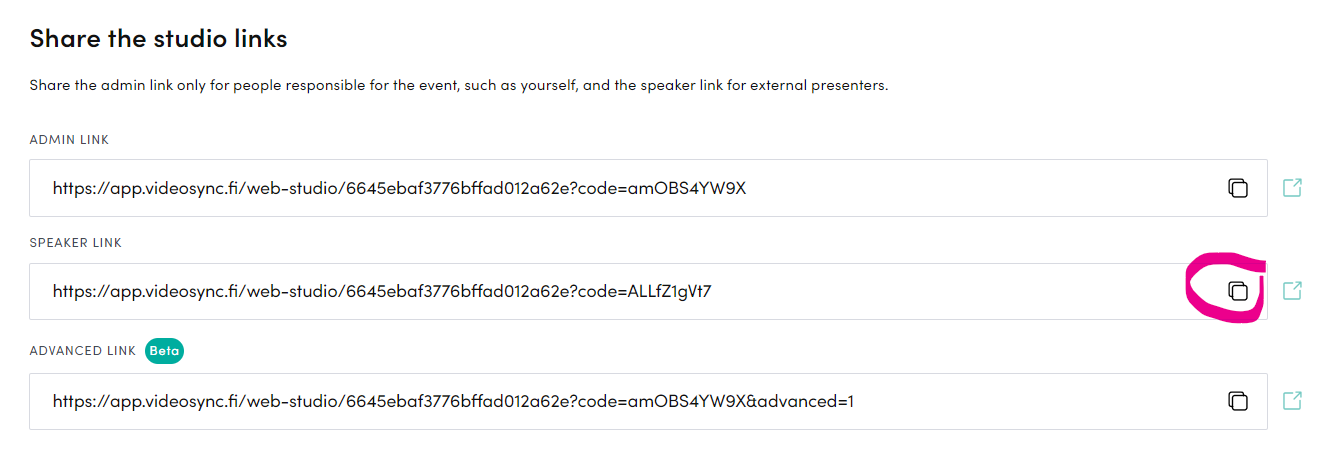
Copy the Speaker link from Live → Web Studio and send it to all guest speakers. Once they access the link, their video and audio can be used in the broadcast. They can also switch slides and read the chat.
If a remote speaker enters the Web Studio during a live event with their camera and microphone enabled, they will immediately be visible and audible in the broadcast. We recommend instructing remote speakers to join with their camera and microphone turned off if they’re joining mid-event.
Can't find what you're looking for?
Our AI assistant is here to help you find the information you need.