
Signing into Videosync account
Last updated: August 13, 2025
If you do not have Videosync credentials, please contact your organization account owner.
Sign-in
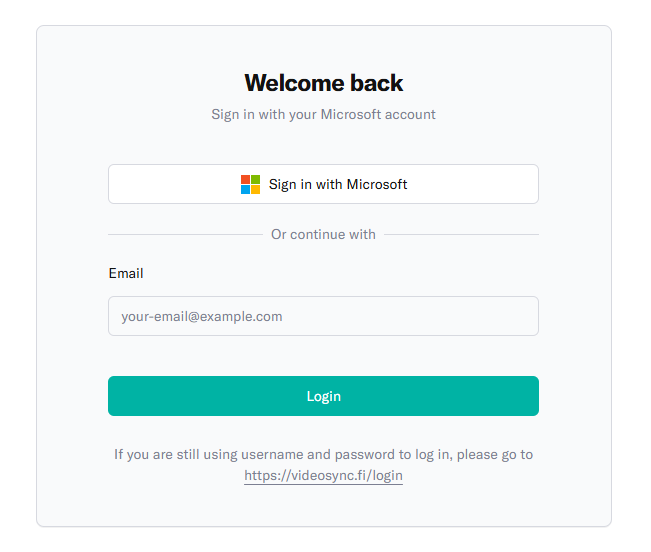
-
To login, go to https://app.videosync.fi/sign-in
-
You have two options to sign in:
- Microsoft login: Click Sign in with Microsoft and login with your Microsoft account.
- Passwordless login: Enter your email address and click Login. You will receive a one-time code to your email that you can use to sign in.
-
If you are using multiple Videosync accounts, login will take you to a page listing all the accounts to which you have access.
-
Select the account that you would like to use.
Switch the account
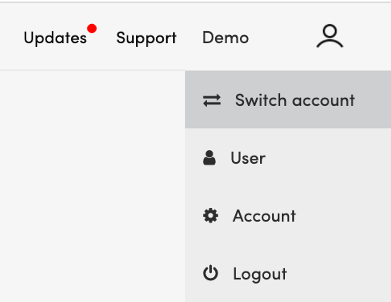
If you are already logged in and would like to switch the account, for example as an event agency for another customer account, click on the user menu item on the top-right corner of the page, and select Switch account.
Can't find what you're looking for?
Our AI assistant is here to help you find the information you need.